Set Up Recurio in Just5 Minutes
Start accepting recurring payments today. No coding required, no complex configurations — just 4 simple steps to subscription success.
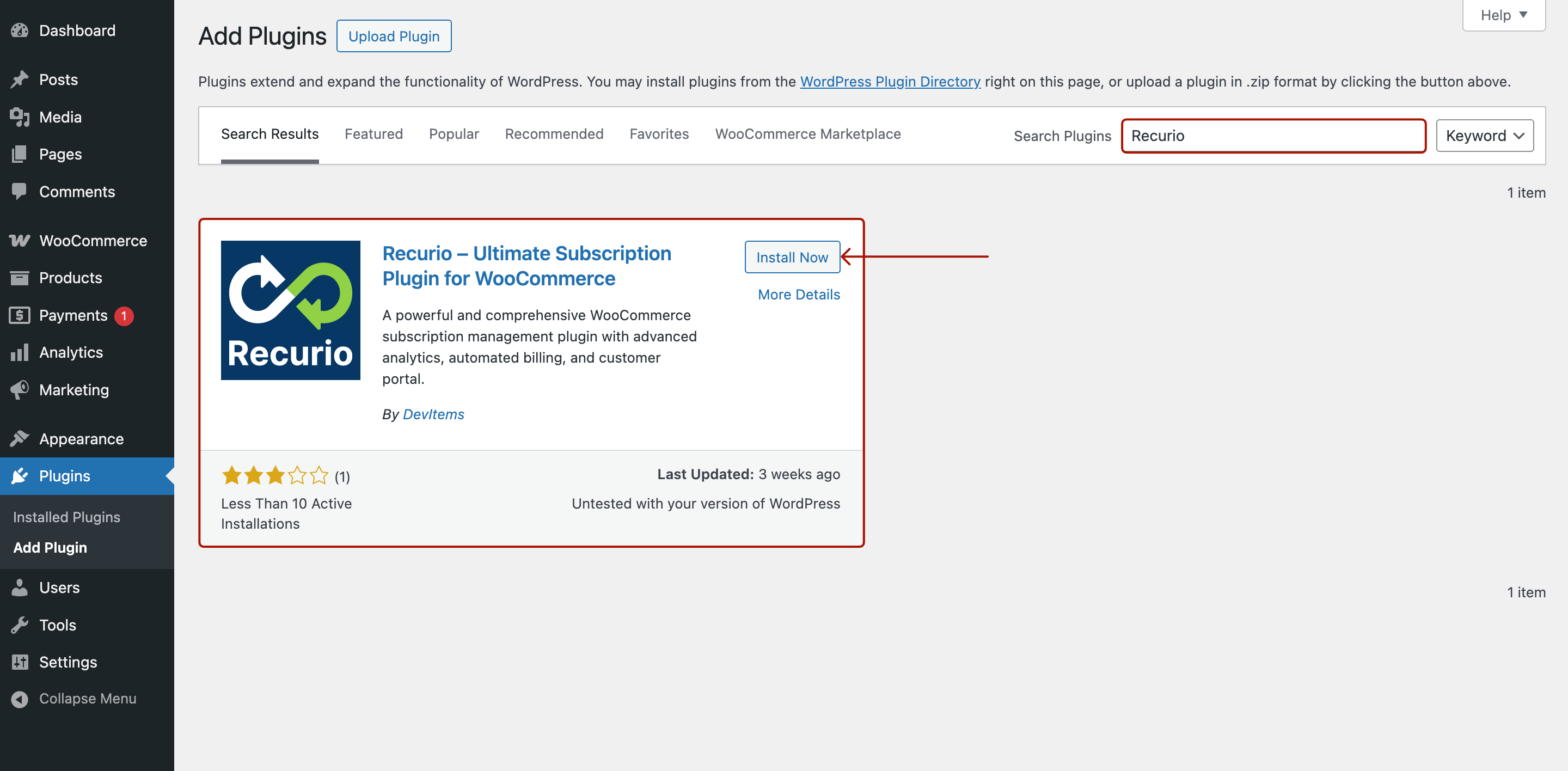
Install and Activate the Plugin
Download Recurio from WordPress.org or upload the plugin file directly. Click "Activate" and you're ready to go — it takes less than 60 seconds.
- Works with any WordPress theme
- Compatible with WooCommerce 6.0+
- No developer needed
Add a Subscription to Any Product
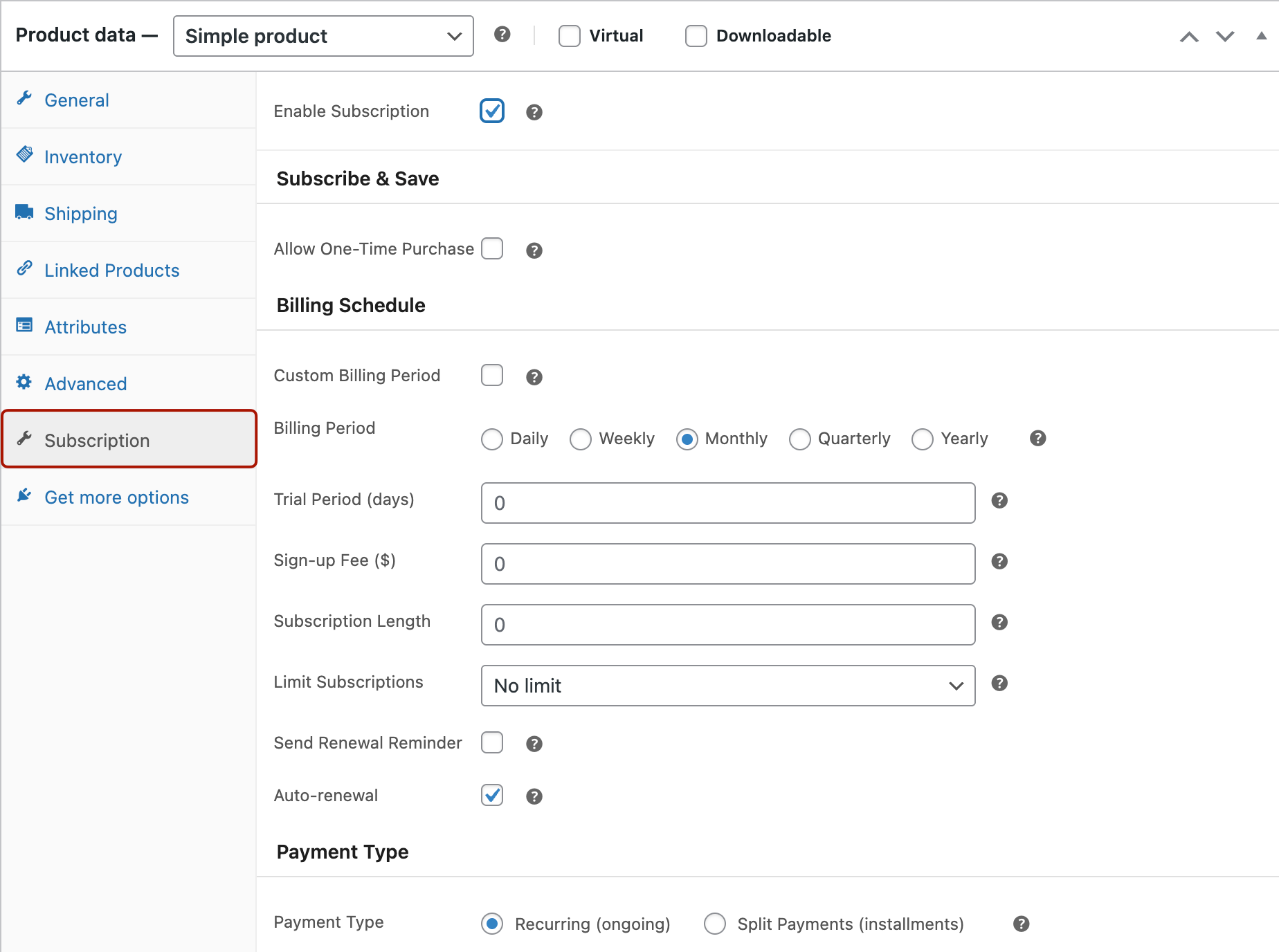
Open any WooCommerce product, click the "Subscription" tab, and enable recurring billing. Choose your billing period — done!
- Monthly, yearly, or custom periods
- Set trial periods & sign-up fees
- Works with simple & variable products
Connect Your Payment Gateway
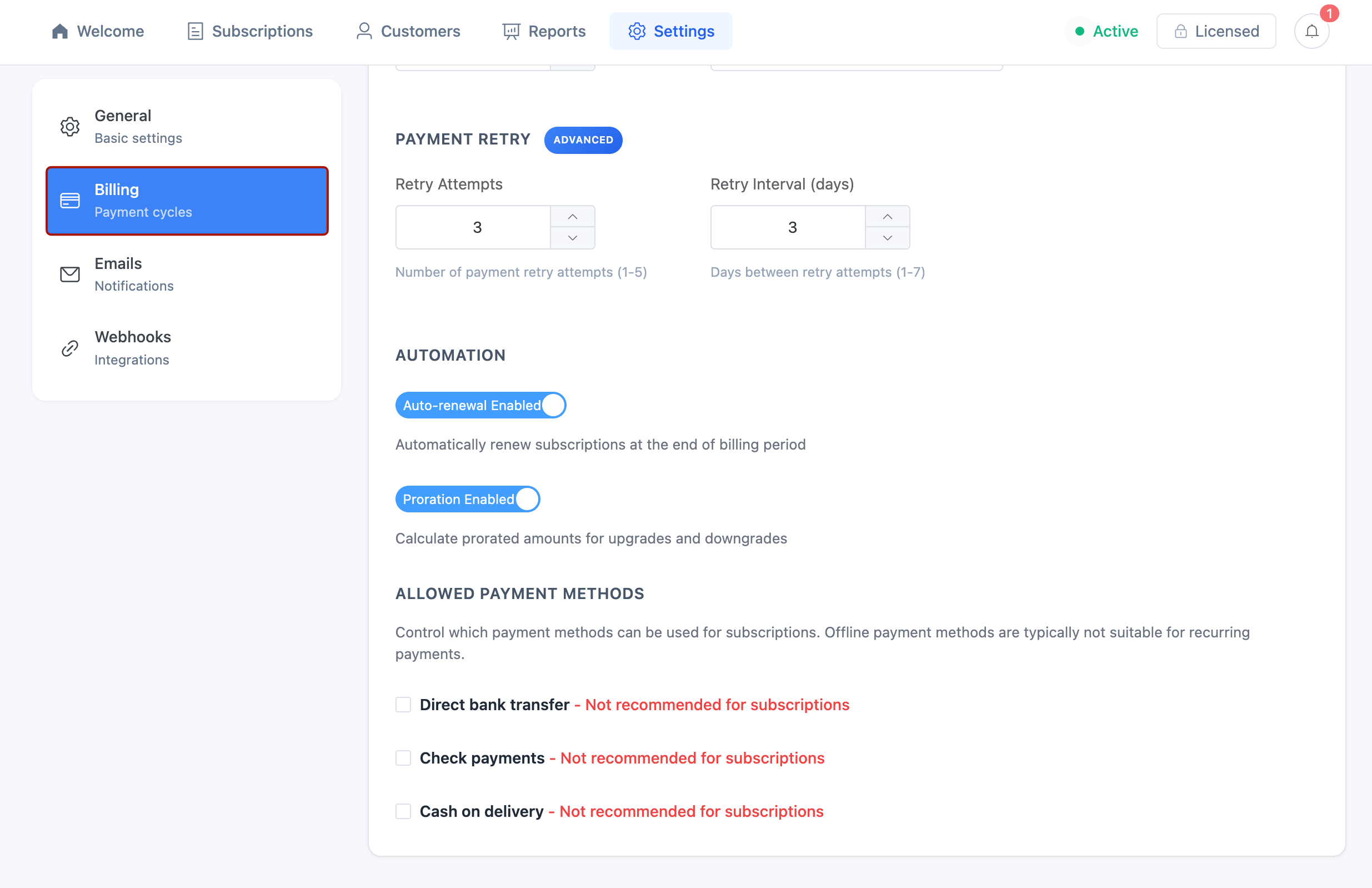
Recurio works seamlessly with Stripe, PayPal, and other popular payment gateways. Just enable your preferred method in WooCommerce settings.
- Automatic recurring charges
- Smart retry for failed payments
- Secure tokenized payments
Monitor Your Subscription Growth
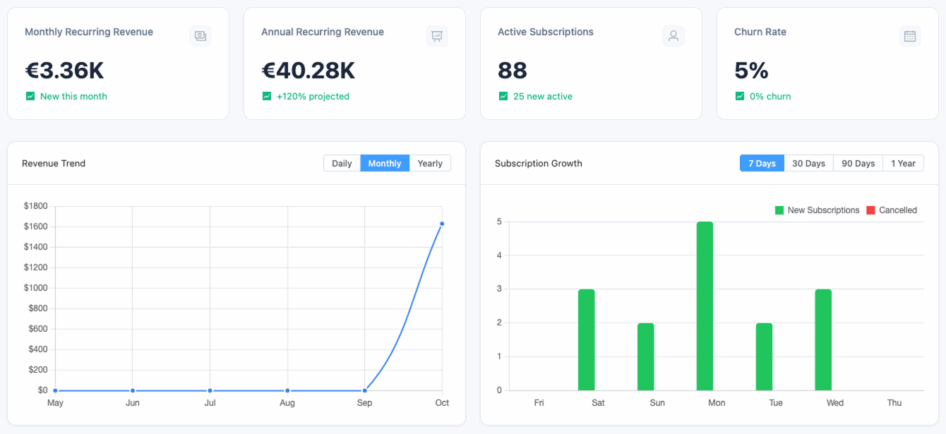
Your Recurio dashboard shows real-time MRR, ARR, churn rate, and customer lifetime value. Watch your recurring revenue grow!
- Real-time revenue metrics
- Cohort analysis & retention
- Export reports anytime
Watch the Setup Walkthrough
See how easy it is to get started — a step-by-step video walkthrough created by a Recurio community member.
That's It — You're Ready to Grow!
Congratulations! Your subscription system is now live. Your customers can subscribe, and you'll start earning recurring revenue immediately.
Need Help?
Our documentation covers everything from basic setup to advanced features.
Go Pro
Unlock Subscribe & Save, variable subscriptions, and custom billing periods.
Ready to Start Your Subscription Business?
Join thousands of WooCommerce stores using Recurio to power their recurring revenue.